
Play Candle Master
The best way to learn trading through practice
See It In Action
Swipe through to see how it works
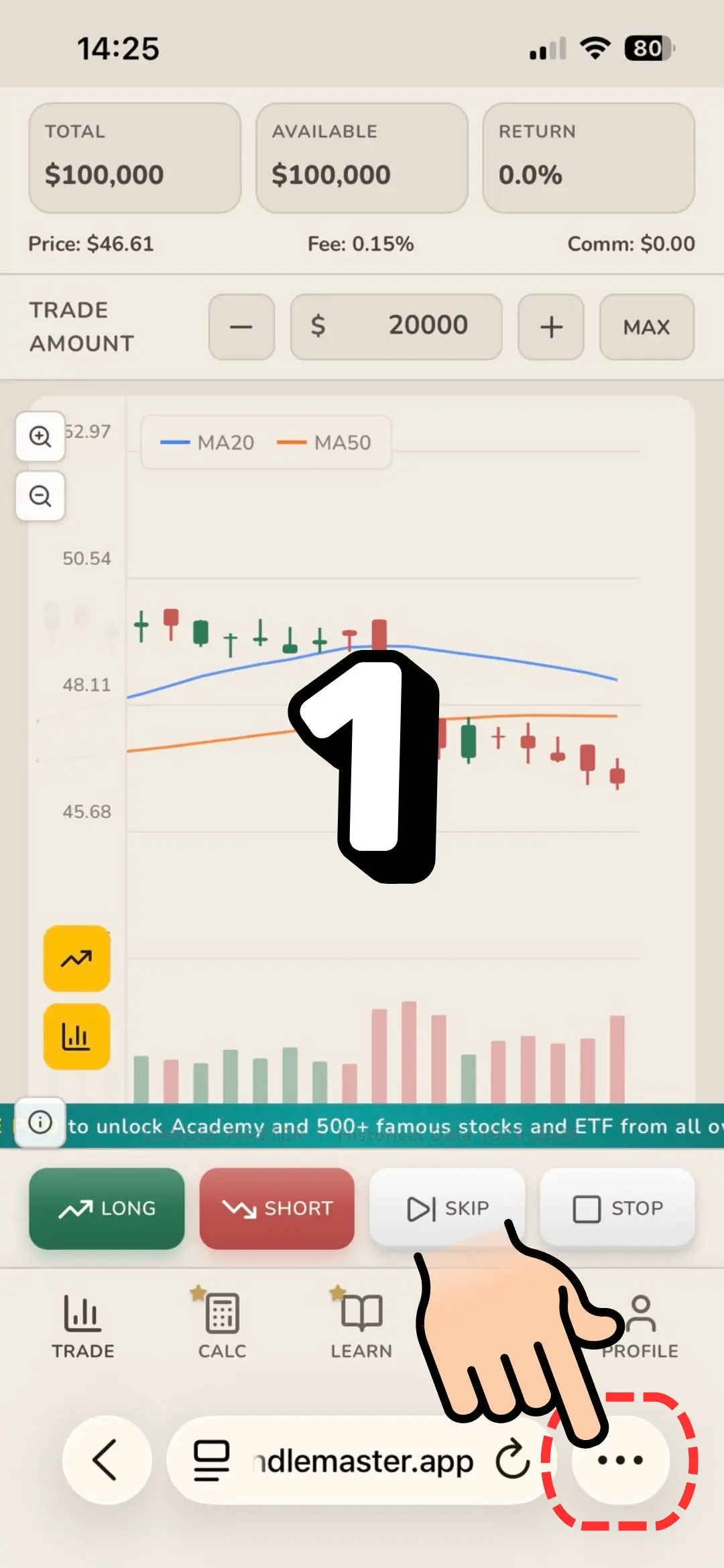
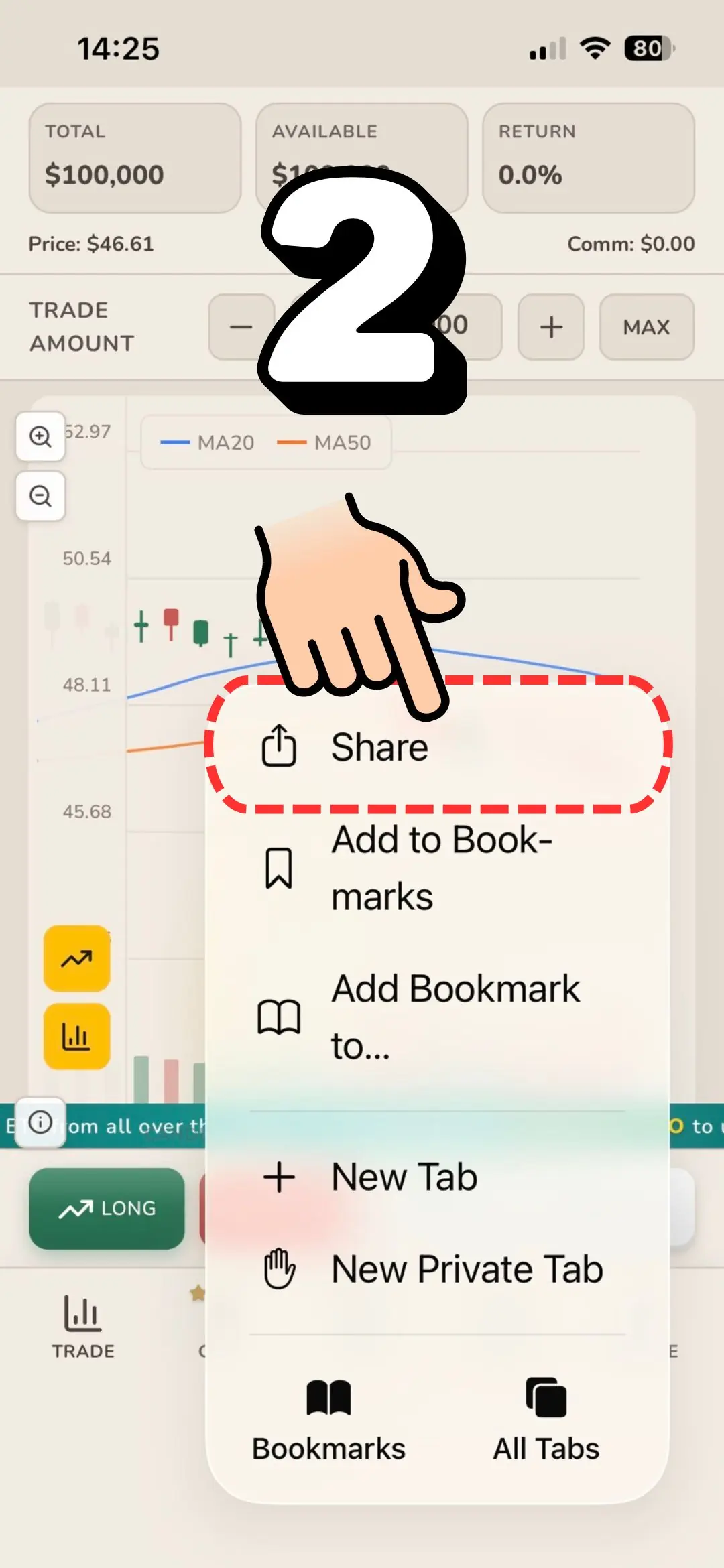
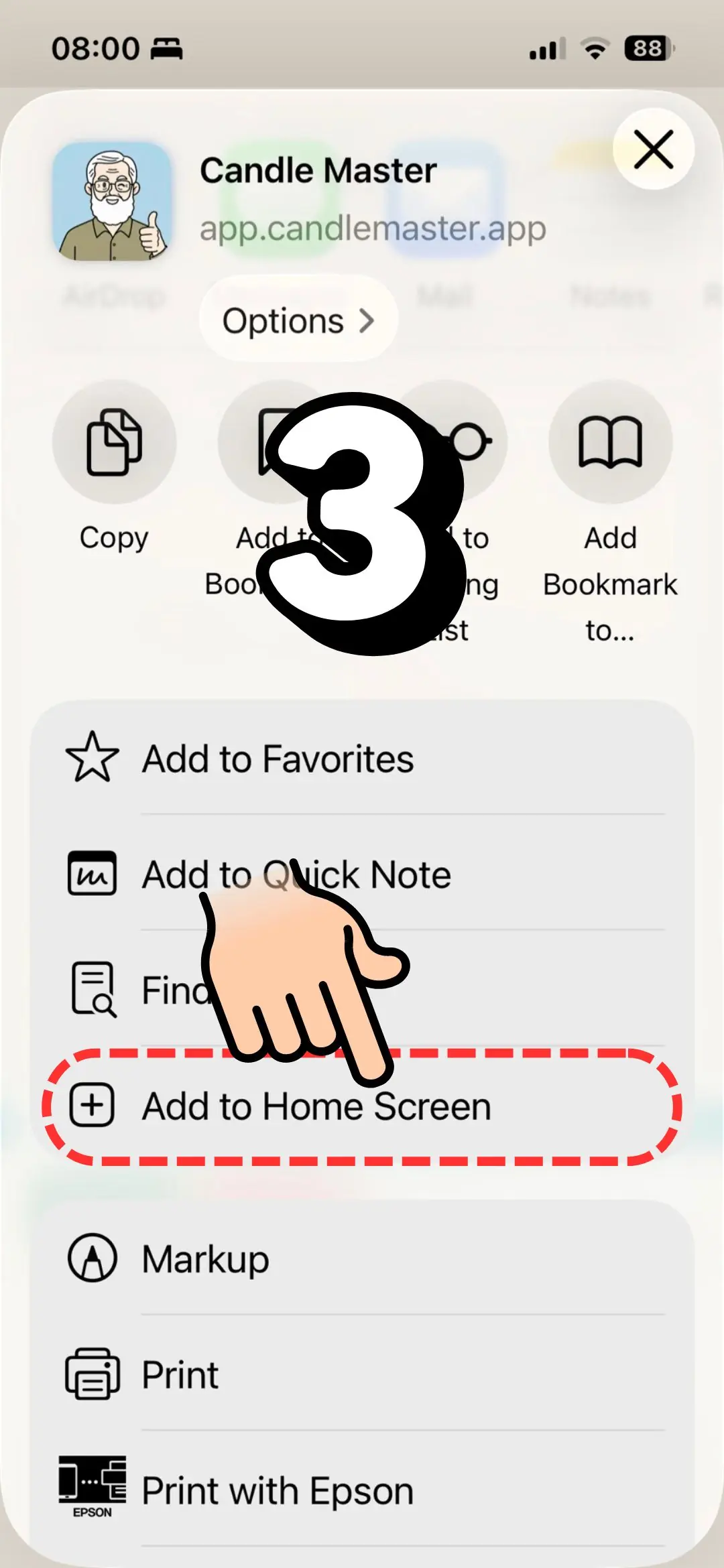
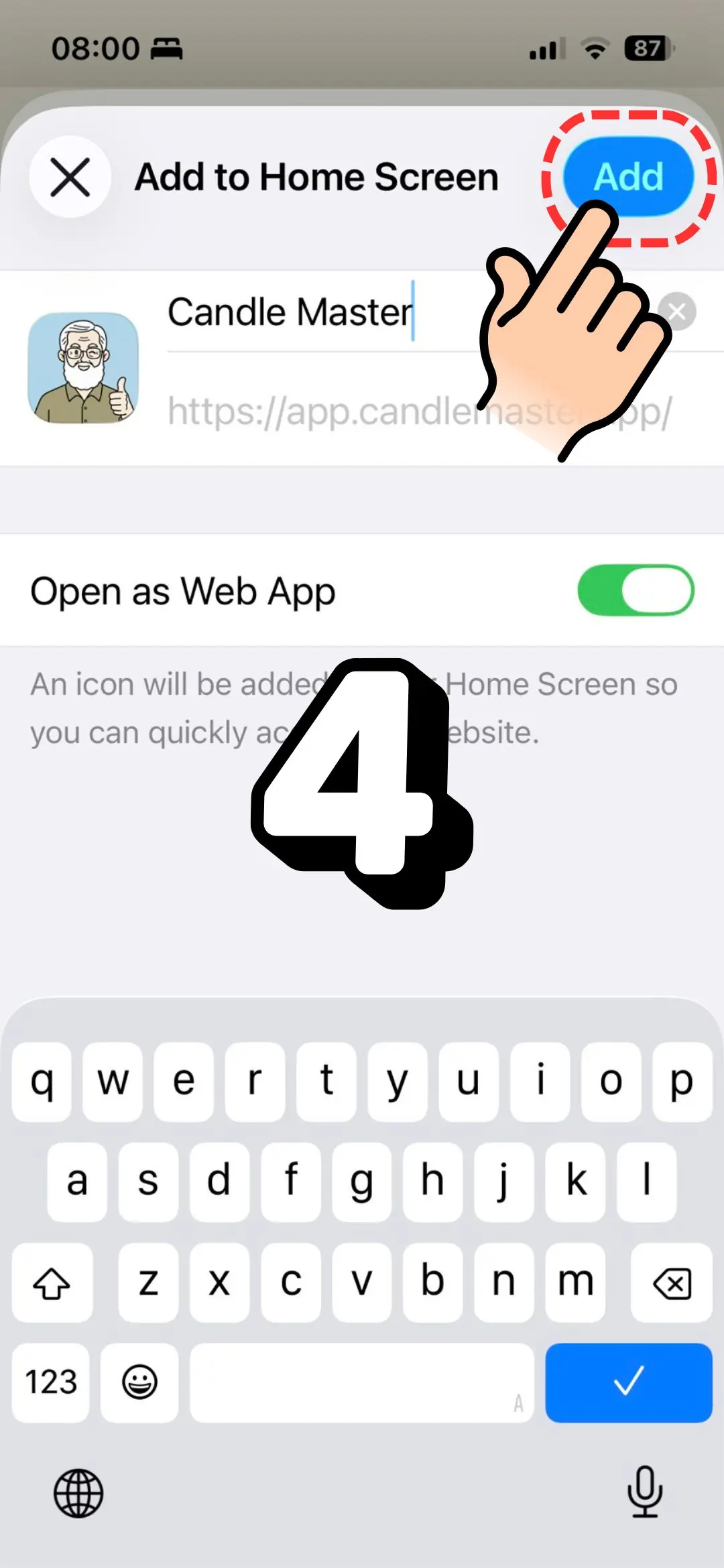
Add to Home Screen
For the best experience without browser bars blocking buttons
iPhone / iPad
1
Tap the Share button (box with arrow)
2
Scroll down and tap "Add to Home Screen"
3
Tap "Add" in the top right
Android
1
Tap the menu (⋮) in the top right
2
Tap "Add to Home screen" or "Install app"
3
Tap "Add" or "Install"
Important
Browser bars may block game buttons. Follow the steps above to add to Home Screen for the best experience!
✓ 100% Free
✓ No Download
✓ Play Instantly
Coming Soon
Native Apps Are On The Way!
We're working hard to bring Candle Master to App Store and Google Play. Stay tuned!
Coming Soon App Store
Coming Soon Google Play